This is what a session looks like. The agent works through Guild's tools, inside the one guild you connected it to, and it plans before it builds.
Claude · Acme
You
Add a Levels page with three roles. Bronze: follows @acme on X and is in our Discord. Silver: holds Bronze and has 500 XP. Gold: holds Silver and has held at least 1 Genesis NFT on Base for 90 days. Give each one a Discord role with the same name, and show the page as a path.
Agent
Here's my plan for Acme. Nothing is created yet. 1. Create the Levels page. create_page 2. Bronze: follow @acme on X, and member of the Acme Discord server. Members should meet All. create_rolecreate_requirement 3. Silver: has the role Bronze, and XP balance of at least 500. create_rolecreate_requirement 4. Gold: has the role Silver, and Genesis NFT on Base held continuously for 90 days, at least 1. create_rolecreate_requirement 5. New Discord roles Bronze, Silver and Gold in the Acme server. create_reward 6. Show the page as a numbered path. set_page_layout Members who already qualify get Bronze at their next access check. Go ahead?
You
Go ahead.
Agent
Done. Levels shows 3 roles in path order, with 6 requirements and 3 Discord role rewards.
Audit log · role.create ×3 · by Claude, on behalf of you
You
Also make dana.eth an admin.
Agent
I can't. Agents can't change a guild's owner or admins. You can add Dana in Guild details.
You
Delete the old Tier 1, 2 and 3 roles.
Agent
Deleting a role takes it and its rewards away from members at once. Tier 1 has 1,204 holders. Reply "confirm" and I'll delete all three.
Example session. Names and numbers are illustrative.
It plans first. Guild's setup prompts tell the agent to read your guild, propose a plan and wait for your go-ahead; the review prompt only reports.
Some things it can never do. The owner, admins, billing, deleting the guild and voting stay with people in Guild.
It asks before deleting. Guild tells the agent to confirm deletions with you, and clients such as Claude can ask before running any tool marked destructive.
Connect in two steps
Beta
One link for every agent: https://mcp.guild.xyz/mcp. You pick the guild and the permissions when you sign in.
Claude Claude Code Codex Other
Step 1: In Claude, open Settings, then Connectors, and add a custom connector with this link:
https://mcp.guild.xyz/mcp
Step 2: Press Connect and sign in to Guild.
Cursor and other clients that support remote MCP servers with OAuth use the Other steps.
When you sign in, you choose what it may do. Its changes to guild settings, roles, points and form reviews show in the Audit log.
Then ask it
Copy prompt: “How do I link roles in a progression path?”
Copy prompt: “Create a Holders role for anyone with at least 1 of our NFTs on Base.”
Copy prompt: “Sort the roles on our Home page from easiest to hardest.”
Copy prompt: “Show the Levels page as a path.”
Copy prompt: “Only let Builders see the Alpha page.”
Ready-made prompts in your agent
Set up a guild: Plans pages, roles, requirements and rewards for a goal, for example “reward our top Discord contributors”.
Build a progression path: For example “Bronze, Silver, Gold by points”.
Review role access: Checks every role for requirements that are wrong, unreachable or too easy. It changes nothing unless you ask.
The server also gives your agent a guide to how guilds fit together and the list of API routes it may call.
No browser? Use a token.
For scripts, CI and servers, create a personal access token under Admin → Agents → For developers. Name it, pick its permissions and an expiry of 30, 90 or 365 days. Tokens with member permissions last 90 days at most. The token is shown once, and Guild keeps only a fingerprint.
Where you manage it
In your guild: Admin → Agents Beta, “Let an AI assistant run this guild for you.”
On your account: Your agents lists every connection and token you made, in every guild, each with Revoke.
Both lists show when each connection was last used.
Agents are in beta: the tools an agent can use and what they return may still change. Changes an agent makes to guild settings, roles, points and form reviews are in the audit log, and you can revoke a connection at any time.
What your agent can run
Beta
Almost everything in the admin panel, through more than 80 tools. Each area needs the permission shown, and member data is always a separate choice.
For anything without its own tool, the guild_api_request tool calls any of the 122 reviewed Guild API routes. A route that is not on that list is refused, and so is any guild other than the connected one.
The agent uses the same API and the same checks as an admin, and each feature keeps its own plan and boost-level rules. For example, an animated banner needs a level 2 guild. Agents are free on every plan. REST API keys start at Pro.
You decide what it can touch
Beta
An agent acts as the admin who connected it, in one guild, within the permissions that admin ticked. Guild's servers enforce these limits, not the agent.
reviewed API routes agents can call
122
blocked actions, refused whatever the permissions
26
permissions, chosen by you
4
to revoke a connection
15 s
One connection, one guild.
You pick the guild when you approve the connection, and it can't be changed later. To manage a second guild, connect again and pick that guild.
You choose the permissions.
Read, Manage, Member data and Moderation are separate. Member data and Moderation are never ticked for you, even if the app asks for them.
Confirm it's you.
Connecting an agent or creating a token needs a sign-in from the last 15 minutes, or a second factor: authenticator app, passkey or recovery code. One confirmation covers one connection.
You get an email.
Every new connection or token sends you an email saying what was connected, to which guild and with which permissions. It never contains a token.
It acts as you, while you're an admin.
Guild checks on every request that you still own or run the guild. Remove someone as an admin and their agents are revoked automatically.
Its changes are logged.
Changes to guild settings, roles, points and form reviews appear in the Audit log under the agent's name, on behalf of the person who connected it.
Revoke within 15 seconds.
Rename a connection or take permissions away at any time. Adding permissions needs a new connection. The guild owner can revoke any admin's agent. Changes the agent already made stay, and the log keeps them. The admin's Agents page lists every connected agent in the guild, who connected it and when it was last used.
Named as on the admin Agents page, with the consent screen's name under each. The descriptions are word for word what the consent screen shows. Member data and Moderation, marked with a coloured edge, are never ticked for you. You can take a permission away later; adding one needs a new connection.
Agent permissions and what each allows
Permission
What it allows
API routes
Read Consent screen: Read guilds guild:read
Read the guild's settings, pages, roles, requirements, rewards, forms, spaces, analytics and audit log
44
Manage Consent screen: Manage guilds guild:write
Change the guild's settings, pages, roles, requirements, rewards, forms and spaces, and post in its spaces as you
54
Member data Consent screen: Read member data members:read
Read members, their timelines, form submissions and space conversations, which include personal data
16
Moderation Consent screen: Moderate members members:write
Review form submissions and moderate members in spaces: resolve reports, mute and ban
8
Read Consent screen: Read guilds guild:read
What it allows
Read the guild's settings, pages, roles, requirements, rewards, forms, spaces, analytics and audit log
API routes
44
Manage Consent screen: Manage guilds guild:write
What it allows
Change the guild's settings, pages, roles, requirements, rewards, forms and spaces, and post in its spaces as you
API routes
54
Member data Consent screen: Read member data members:read
What it allows
Read members, their timelines, form submissions and space conversations, which include personal data
API routes
16
Moderation Consent screen: Moderate members members:write
What it allows
Review form submissions and moderate members in spaces: resolve reports, mute and ban
API routes
8
Never possible through an agent
Refused by Guild's servers whatever permissions the agent holds.
Create or delete a guild
Change the owner, admins, verification, subscription or feature flags
Touch billing, API keys or your own account
Join, leave or claim roles for you
Fill in forms or delete submissions for you
Vote, react, report or mark messages read for you
Export to your Google account (CSV export is allowed)
Reset a points platform or change profile levels
Manage agent connections, including its own
Use Guild staff tools. A staff member's agent gets ordinary admin rights only.
The consent page on guild.xyz shows this list before you approve, together with the app's name, the address it returns to, and the warning "Only connect apps you trust."
For security reviewers
Sign-in uses standard MCP OAuth: protected-resource and authorization-server discovery, dynamic client registration and PKCE S256. Authorization codes are single-use and last 5 minutes. You never paste a secret.
Access tokens last 1 hour. Refresh tokens last 30 days and rotate on use, and reusing an old one revokes the whole connection.
Personal access tokens for scripts and CI last 30, 90 or 365 days, at most 90 days with Member data or Moderation, and are shown once.
Agent tokens can't call the Guild API directly. The MCP server exchanges them for backend tokens that last 5 minutes.
Only SHA-256 hashes of tokens are stored. The MCP server holds no data of its own.
Agents can reach 122 reviewed API routes and nothing else. A new route stays closed to agents until it is reviewed. The full list is public at GET /v1/agents/scopes and /docs/agents.
If a guild check can't be confirmed, the request is refused. An agent request always runs as the person who approved it, whatever cookies it carries.
Agent access can only be granted from guild.xyz itself, not from another website.
Client registration is limited to 20 per address per hour.
An integration test runs the whole agent path: consent, token exchange, guild scoping and the main refusals. Unit tests check that no blocked action is on the allowlist.
Build engaged and unified communities
You set the rules once. Guild checks every member's wallets and social accounts against them and keeps their access up to date. You don't add or remove anyone by hand.
01
Requirements decide.
Hold a token, follow on X, have a Discord role, make transactions on a chain, hold another role in your guild. Combine them with All, Any one or Some (at least 2 of 5, say).
02
Roles group.
People who meet the requirements get the role. Members gain and lose roles on their own as they meet or stop meeting them.
03
Rewards unlock.
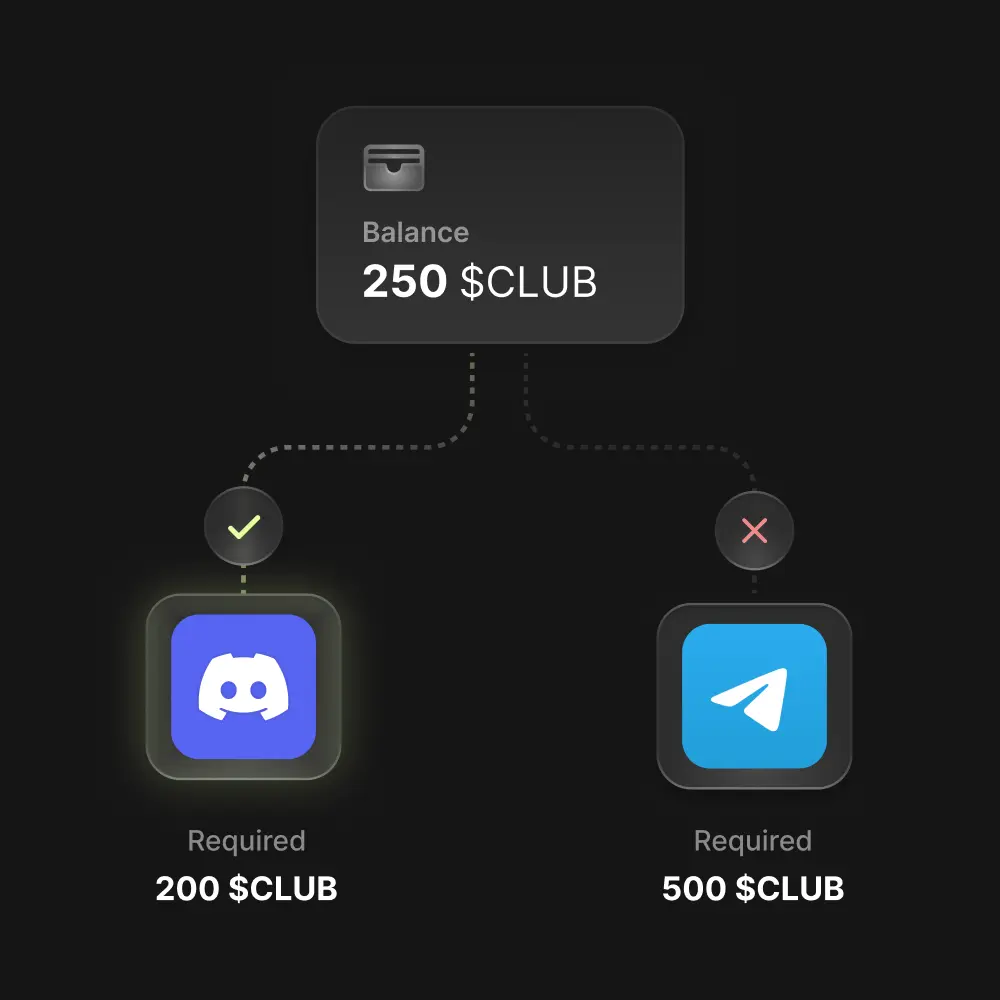
A Discord role, a Telegram group, points, a secret, an NFT, a form, voting rights, a profile item or a gated page. Guild takes them back when the role is lost, where that's possible.
Example role
Token holders
Worked example
Rewards
Holder Discord role
5 points
Requirement
Hold at least 500 of your token Met
A member who drops below 500 loses the role, and by default the Discord role goes too.
49 requirement types across onchain activity, social accounts, reputation and Guild itself. Guild checks every wallet and account a member has connected.
Onchain
Native coin, ERC-20 and NFT balances: any NFT, one token ID or a list of IDs. Optionally summed across a member's wallets.
Held at a past block, and held continuously for N days. Ethereum and Base only, read from Guild's own archive nodes.
Contract query: call any read function with the member's address.
Wallet activity: first transaction, transaction count, contract deployments and contract calls (method, inputs, value range). Over fixed dates or a rolling window such as the last 30 days.
EAS attestations and POAP event attendance.
Social
X: follow or be followed by, like, repost, and profile fields such as account age, followers or verified.
Discord: server member, member since, role, nickname, boosting, account age.
Telegram: group or channel member, Premium, username and other member fields.
GitHub: starred a repository, commit count, account age.
Farcaster: follows a profile, follower count, profile contains.
YouTube: subscribed, liked or commented.
Email domain, and World ID verification level (Orb, Device, Document, Secure Document).
Guild and your own data
Holds a role or reward, in your guild or a partner's.
Points balance, including a partner guild's point system.
Invited N members.
Submitted a form Pro+
Profile level of at least N.
Verified person.
Booster.
Guild user since; connected a platform; sign-in country.
Allowlist of wallets and emails (.txt or .csv); visit a link.
Community Intelligence Score from score.xyz; CryptoRank watchlist.
Custom API call to your own API Pro+
How they combine
Members should meet All, Any one, or Some: at least 2 of 5, for example.
Group requirements: hold the NFT, or (follow on X and be in the Discord).
Set any requirement to Should not satisfy to keep people out. An allowlist then becomes a blocklist.
Give a requirement your own name, image and action link, and members get a Complete requirement button.
9 reward types. One role can give several at once. Members claim them on the role card, and Guild takes back what can be taken back when the role is lost.
Discord
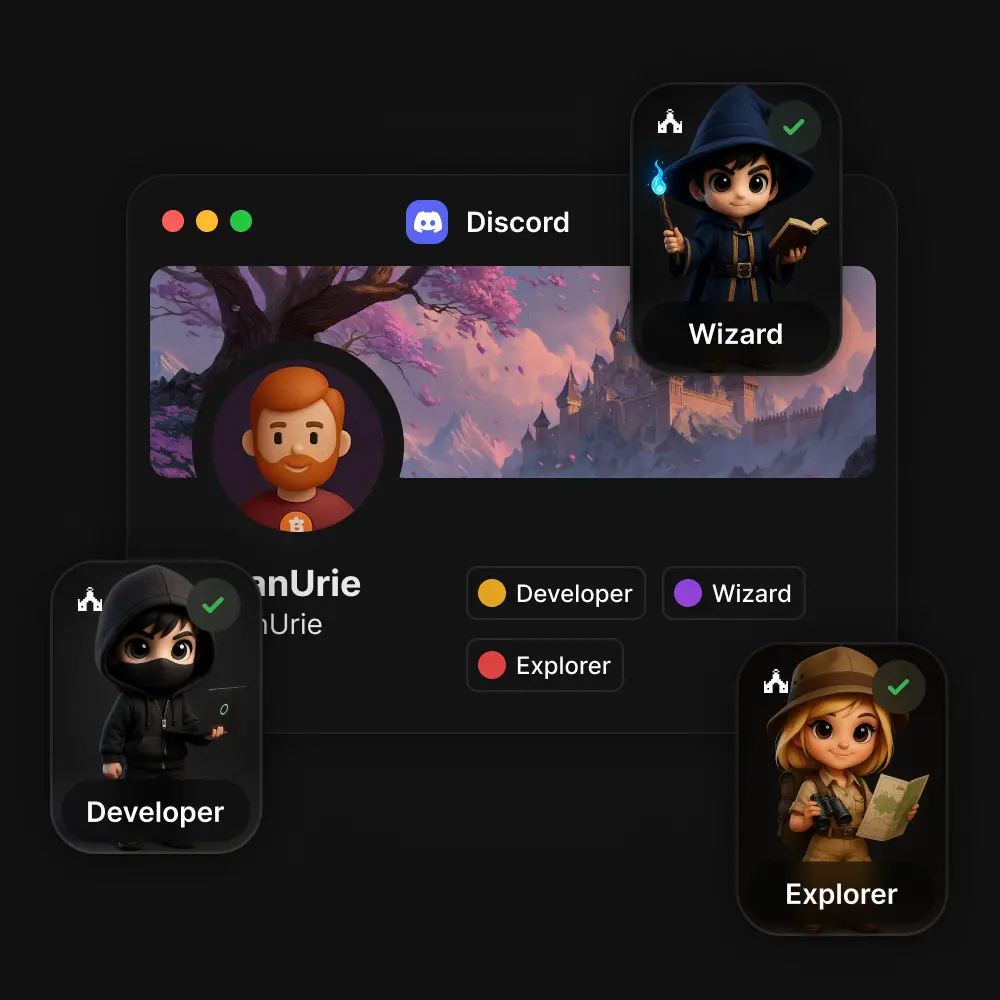
A role in your Discord server, given and taken away with access.
The first Discord reward connects your server and adds Guild's bot to it.
Use a new or an existing role.
Turn on Keep role once earned for achievements.
Assignments queue during busy launches and show a wait estimate; members can press Reclaim, or Go to server once the role is theirs.
A guide explains how to put the Guild.xyz bot role above the roles it manages.
If the role is lost
The Discord role is removed, unless Keep role once earned is on.
Managed in
Discord
Telegram
A place in your Telegram group or channel.
Add @Guildxyz_bot as an admin, then paste the Group ID it posts.
@Guildxyz_bot sends each member their own invite link, removes members who lose access, and checks its own setup with /status.
/start repeats the Group ID; /help links to help.
If the role is lost
The bot removes the member from the group.
Managed in
Telegram
Points
Points in one of your point systems, with a leaderboard.
Fixed amounts, or an amount per unit of native coin held.
You choose whether points are kept or deducted when access is lost. Each reward can override its point system's rules.
The ledger is append-only, so history stays complete. A reward can't be claimed twice while the earlier claim stands.
Bulk grants of up to 500 rows.
Point balances can unlock higher roles.
Run several point systems, each with its own leaderboard, public or admins only, and pick one as the guild's main system.
Member tiers you name, colour and set a threshold for, such as Member at 0, Contributor at 100 and Champion at 500.
Leaderboard CSV export Pro+
Grant points and read balances and leaderboards through the REST API Pro+
If the role is lost
Kept or deducted, as the point system or reward sets.
Managed in
Points
Secret
A code, link or message only role holders can reveal.
It is stored encrypted.
If the role is lost
A revealed secret can't be taken back.
Managed in
Spaces & roles
NFT
An NFT that role holders can mint, on 32 chains.
JPG, PNG or MP4 up to 100 MB.
Free, or priced and paid to your payout address.
Soulbound or transferable; optional supply limit.
Collectors pay gas and a small Guild fee.
Members mint from the reward's own collect page.
If the role is lost
A minted NFT stays in the member's wallet.
Managed in
Spaces & roles
Pro+
Form
The right to fill out one of your gated forms.
12 question types and conditional pages.
Approve or reject each response; export to CSV or Google Sheets.
Automatic approval or manual review, a per-member submission limit (rejected responses don't count), open and close times, editable answers and confirmation emails.
Pair it with Submitted a form and approved applicants get a role.
If the role is lost
The member can no longer fill out the form.
Managed in
Forms
Permission
Lets role holders see a page or space, or a hidden role, reward or requirement.
View access only. Hidden content needs Starter+.
If the role is lost
The page, space or hidden item closes for them.
Managed in
Spaces & roles
Voting rights
A say in the proposals your guild votes on, weighted by role.
1 to 1,000,000 votes per role.
Can also let holders create proposals. Admins and owners can always propose, but vote only with their roles.
If the role is lost
Their votes stop counting for new votes; cast votes stay.
Managed in
Proposals
Profile item
An avatar frame or profile effect made for your guild, which members wear across Guild.
Built-in art is free for up to 50 items.
Your own uploaded art needs Starter+ or a boosted guild. Uploads use custom art slots, and higher boost levels add more.
If the role is lost
The item comes off the member's profile.
Managed in
Profile items
Note: A secret once revealed and an NFT once minted stay with the member. Discord, Telegram and point systems are set up once and then reused across roles; the admin's Connections page lists them.
Pages group roles under one heading. You choose how each page shows its roles and who can see it.
List
Cards
Grid
Path
Spotlight
Compare
A page that is a feed, announcements or a chat uses one of nine message layouts instead. See spaces
Six role layouts: List, Cards, Grid, Path, Spotlight or Compare, each with its own options. Use Path for a progression ladder, Compare for tiers side by side, Spotlight to feature one role.
Who sees a page: anyone, holders of chosen roles, or admins only.
Who sees a role:
Public.
Only its holders (self-reveal). Pro+
Holders of a role you pick (secret). Starter+
Admins only (hidden). Starter+
Members can ask Guild to check for secret roles they qualify for.
Limits and numbers:
Close a role after its first N members. Members see "8,766 of 10,000 claimed", then "Full".
Number holders #1, #2 and so on, in the order they got the role. A member keeps their number for good.
Hold back the first numbers for your team and assign them by email, Discord name or wallet.
Why members miss it: for each requirement on a role, see how many members meet it, don't, or haven't been checked yet, and which one most members miss. On large guilds this is estimated from up to 1,000 members.
Editing:
One table shows each role with what it unlocks, who gets it and how many hold it. A side inspector edits the role, and changes wait for Save.
A role can sit on several pages.
Remove takes a role off one page; Delete removes it everywhere.
Navigation: pages in the sidebar or across the top. Drag to reorder. Copy a link to any role, and share your guild at guild.xyz/<name>.
Defaults: every new guild starts with a Home page and a Member role that everyone who joins gets.
Spaces & roles guild.xyz/<name>
Spaces
Home
Holders
Team
Member Unlocks: Who gets it: Everyone who joins All members
Early supporter Unlocks: Who gets it: Hold 1 NFT · numbered 8,766 of 10,000 claimed
Core team Hidden Unlocks: Who gets it: Held numbers Full
Inspector · Early supporter
Name
Image
Description
Unlocks
Who gets it
How many get it
Who can see it
Save Copy link Remove Delete
Example: pages in the sidebar, the roles table and the inspector for one role.
Why members miss it
Role: Early supporter. Estimated from up to 1,000 members.
Join the Discord server
Hold 1 NFT Most miss
Follow on X
Meets
Doesn't
Not checked yet
Example. Not checked yet is not a failure: Guild checks a member when they ask for the role.
Talk and decide where your roles are
Rolling out
Turn any page into a feed, an announcements channel or a chat, and run votes weighted by role. Who can read a space follows the page's audience.
Spaces
Feeds with titled posts and replies, announcements with optional replies, and chat with quotes and threads. 9 layouts:
Chat
Classic
Bubbles
Compact
Feed
Cards
Threads
Gallery
Announcements
Bulletin
Changelog
Magazine
Choose who posts: members, roles with write access, or moderators. Allow replies, and set a slow mode of up to 6 hours.
Reactions, up to 4 images per message, @mentions, edits within 24 hours, pinned messages.
See who's here now, who's typing, and “Seen by” on announcements.
Link previews are copies hosted by Guild, so opening a thread never contacts the linked site.
Unread markers, a jump to messages that mention you, and saved drafts. On phones, swipe to reply and double-tap to react.
Moderation
A report queue, and mutes and bans per space or guild-wide, with durations.
A moderation log that is never erased.
Moderator roles that don't need admin access.
A word filter of up to 200 entries; test a sentence before you save.
Admin panel , Moderation
Reports
Restrictions
Log
Settings
Votes
Open Single choice Quorum reached
Which day should the community call move to?
Thursday 52% · 26 votes · 9 voters
Tuesday 30% · 15 votes · 7 voters
Saturday 18% · 9 votes · 6 voters
Your weight: 6 votes (Member 1 + Core 5) 50 of 40 quorum
Example proposal result: Thursday leads with 52% of the weighted votes, and the quorum of 40 votes is reached.
Each Voting rights reward carries 1 to 1,000,000 votes, and a member's power is the sum of their roles: Member 1 + Core 5 = 6.
Each Voting rights reward can also let its holders create proposals. Admins and owners can always propose, but vote only with their roles' rights.
Single choice or approval voting, 2 to 10 choices, open now or later, closing in up to 90 days, with an optional quorum.
Members see their weight before voting, and can change or withdraw their vote while it's open.
Results show live or after closing. Votes are public, and ties produce more than one winner.
Votes run in Guild, not onchain. Agents can draft and cancel proposals, but they never cast votes.
Admin panel , Proposals
Create proposals, follow the votes and see the results.
Upcoming
Open
Closed
Cancelled
Notifications
Inbox
Browser
Daily email
Telegram bot
Members hear about mentions, replies, announcements, proposals, lost roles, guild launches and early access, referral joins, profile level-ups and verified person updates in an inbox, in the browser, in a daily email or from the Telegram bot.
Each kind can be switched off for the inbox, and each channel has its own switches. The daily email arrives around 9:00 in the member's time zone, only when they missed something.
They can mute a space or thread for 1 hour, 8 hours, 24 hours or until turned off, or set a whole guild to Mentions only.
Mute
1 hour
8 hours
24 hours
Until turned off
Mentions only
Spaces and voting are rolling out guild by guild. Your guild's admin panel shows whether they're on.
Grow with your members
Open with a waiting list, let members bring their friends, and let Guild Plus members lift the guilds they back.
Launch
A coming-soon page with a countdown or your own wording ("Early December"), a banner and a waiting list. It appears on Explore under Coming soon.
Anyone can ask to be notified. Guild Plus members can pre-register for a reserved low number ("You're #42 "), a Founding member badge and early access, 48 hours by default. A member can hold up to 10 pre-registrations at a time.
Members find the guilds they pre-registered for or asked to hear about under Your upcoming guilds on their account, with their reserved number and the time left.
Hold #1 to #100 of a numbered role for pre-registrations, export the list as CSV, and press Launch now when you're ready.
Admins see the real guild with a "Coming soon, preview" banner.
Admin, Launch. A countdown, a waiting list and early access.
Every member gets a personal invite link, such as guild.xyz/your-guild?ref=abcd2345, and sees the top five inviters. A click from someone who isn't signed in yet is remembered for 30 days on that device.
Reward referrers with roles, for example Recruiter at 3 invites and Ambassador at 10.
You can count only verified people. Self-invites, rejoins and members who leave never count.
Admins see who invited whom. Guild never pays cash for referrals.
Admin, Referrals. Invite links, a leaderboard and rewards for referrers.
Guild Plus members boost the guilds they back. Boosts raise the guild's level:
Level 1 at 2 boosts: a Boosted badge and a lift in Explore.
Level 2 at 7 boosts: an animated banner and custom emoji.
Level 3 at 14 boosts: a vanity link.
A boost can be moved to another guild every 7 days. If a booster's Plus lapses, their boosts stop counting, and a level that falls is held for 72 hours. Explore lifts up to 6 boosted guilds at a time, ordered by level.
Links to your guild, roles, forms, profiles and launch page show a preview card on X, Discord and Telegram.
Know who's in, and what changed
Members
Every plan
Understand your members and export audiences.
Campaign Campaign activity Campaign analytics
Member Roles Rewards Country Joined
Recent exports
CSV Ready
CSV Running
One directory listing each member's roles, rewards claimed, country and join date.
Filter by campaign, roles, rewards, country or search, and share the filtered view as a link.
Open a member to see their roles, their progress in each campaign and which rewards they claimed. You can claim a stuck reward on their behalf.
Export an audience as CSV in the background. Downloads stay available for 24 hours.
On Free and Starter, members are shown by their wallets. Pro and above show their connected Discord, X, GitHub and other accounts. Growth includes them in exports. Pro+ Growth+
Campaigns Community 7d 30d 90d
Visitors
Page views
Role earners
Role unlocks Losses
Role performance Campaign rewards Export CSV
Every page is a campaign. For each one, see visitors, page views, unique role earners, and role unlocks and losses over 7, 30 or 90 days, with a daily chart. Export the comparison as CSV.
Guild-wide: total members, joins and leaves, active members, and reward claims.
Member activity Admin actions
Period Campaign Event Person
Role created 14:02:11.384 Agent on behalf of an admin
Points granted 14:02:09.902 Agent on behalf of an admin
Guild settings changed 13:58:02.517 Admin
Members exported 13:40:13.006 Admin
Member activity: joins and leaves, roles gained and lost, rewards, points, connected accounts and form submissions.
Admin actions: changes to guild settings and roles, points grants, form reviews, exports, API keys and agent connections, with who made each one, to the millisecond. Agent changes show the agent and the admin it acted for.
Connect a server once; each server belongs to one guild.
Post a verification button with your own title, message and button text.
Before posting, Guild checks the bot's View Channel, Send Messages and Embed Links permissions, and explains role order when Discord blocks a role change.
Snapshot and holding-period checks read Ethereum and Base from Guild's own archive nodes, not from third-party data.
Members see what they have, and what's next
Signing in: members sign in with a wallet, an email address or a social account. They connect each account once, and every guild can check it.
Two-factor sign-in works with an authenticator app or passkeys, with ten one-time recovery codes as a fallback.
Joining: joining checks every role and grants each one the member already qualifies for. A guild can be open, invite-only or gated.
Signed-out visitors land on the guild's home page, which shows what its roles unlock and what they ask for. A short celebration plays when a new role arrives.
Requirement status: each requirement shows Met, Not met, Checking or Not checked yet, with a one-click fix such as Connect X, Connect wallet, Join the Discord or Fill out the form.
Each role card says how many it needs: All of these, Any of these or Any 2 of these. An expired connection asks to Reconnect.
What's next: an Unlock next card points to the closest role. The roles view sorts every role into Almost there, Yours and Out of reach. Members can press Check access at any time.
Every role has its own page. The guild sidebar shows how many roles a member has and which role opens each space, the rail on the left switches between their guilds, and Leave guild sits at the bottom of the access panel.
Losing a role: a Role removed notice arrives only after the loss has held, so a brief data blip notifies no one.
Members who meet the requirements again get the role back on their next access check.
Profiles: one profile across every guild, with roles and member numbers, a showcase, achievements and badges. Members choose which guilds and which connected accounts others can see. Wallets are hidden unless the member shares them.
Each profile lives at an @handle and lists activity, and visitors see the guilds they share as Mutual guilds. Members set a picture, banner and theme colour, and wear an avatar frame and a profile effect: some free, others from achievements, profile levels, Guild Plus or a guild's profile item reward. Badges include Verified person, Booster and Founding member.
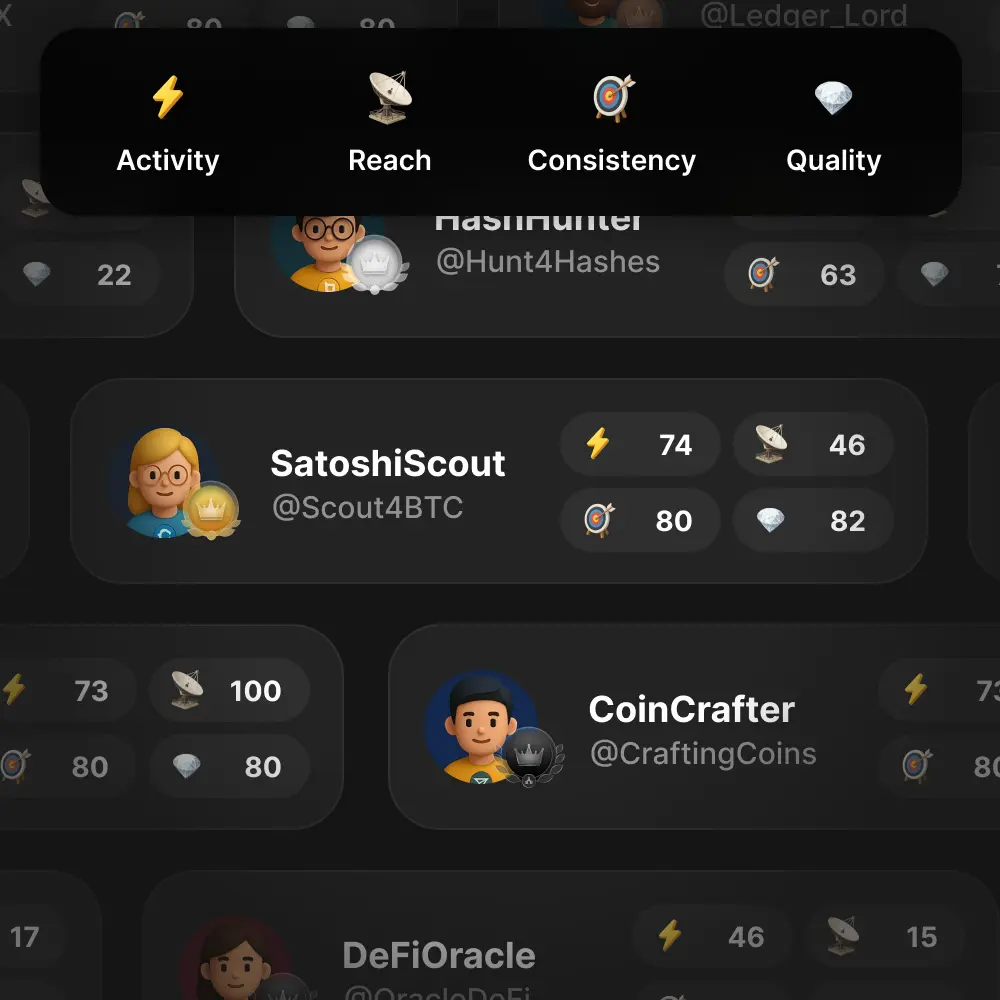
Profile levels: earned by taking part in verified guilds over time. They can't be bought, never go down, and have no leaderboard. Guilds can require a minimum level.
Renown comes from joining and taking part, holding public roles, showing up each week, voting and active years. New guilds and roles add at most 300 renown a week. Levels unlock avatar frames, profile effects and up to two extra showcase spots, and members choose who sees their level. Admins can reward a level with a profile item.
Theme: light, dark or system.
Your access
3 of 7 roles
3/7
Unlock next
1 step left
Builder
Unlocks Discord role Points
All of these
Hold a token on Base Met
Join the Discord server Met
Fill out the application form Checking
Follow the guild on X Not met Connect X
1 step left. Next: Connect X. Check access
Roles
2 Almost there
3 Yours
2 Out of reach
Accounts this guild checks
Wallet Connected
Discord Connected
X Connect X
Leave guild
Role removed
You stopped meeting a requirement of Supporter. See how to get it back.
@yourhandle
Profile level 12 · Post
Verified person Booster Founding member
Showcase
An example access panel, notice and profile card. Names are placeholders.
Keep out bots, prove who's real
Sybil filters
Combine wallet age and history, X, Discord or GitHub account age, World ID, EAS attestations, a Community Intelligence Score and profile level. You decide how strict to be.
A person at Guild reviews a member's account history and grants a badge, with no documents or selfies. Add Be a verified person to any role, or count only verified people in referrals.
Guild staff review a project's official channels and launch announcement before granting the badge and an explorer listing. Anyone can report a guild that looks like a scam on our Discord.
Members' wallets, email and accounts are hidden unless they choose to show them, and leaderboards show only a name and avatar. Admins still see connected accounts in the guilds they run, for anti-sybil checks.
Use it from your own code: a game server that awards points, a bot that checks roles, a member dashboard.
API keys are per guild. You can limit a key to the endpoints it needs. A key is shown once and sent as Authorization: Bearer. Create keys under Admin → Agents → For developers.
9 key endpoints:
List roles
Role member addresses
Guild members (with search and filters)
Grant points (idempotent)
Deduct points
Get user
A user's guild membership
A user's role memberships
One role membership
Rate limits: 60 requests a minute per guild on Pro; 120 on Growth and Enterprise. Some endpoints have lower limits of their own, a minute: guild members 2 / 5, roles and role memberships 10 / 20, users and a user's guild membership 20 / 40. A 429 response includes Retry-After.
Every guild starts on Free with roles, requirements, rewards and pages. Free includes every requirement and reward type except those listed under a paid plan below. The agent connection is free on every plan.
Guild plans: price, what each plan adds and how to start
Free
Starter
Pro
Growth
Enterprise
Price
$0
$29/mo
or $290/yr
$99/mo
or $990/yr
$399/mo
or $3990/yr
From $1000/mo
Adds
Roles, requirements, rewards and pages
Points, Discord and Telegram
Audit log
1 extra admin
Built-in profile-item art (up to 50 items)
AI agents Beta
Hidden and secret roles, pages, rewards and requirements
Members subscribe to Guild Plus for their own account. Their boosts and pre-registrations help the guilds they back. It is separate from guild plans.
$6.99 a month, or $49.99 a year (about $4.17 a month). Pay by card or with USDC on Base.
A claimed @handle, unlimited display-name changes (Free allows one every 30 days), a coloured chat name (gradient on Annual), animated banners and avatars, more showcase slots, a nickname and avatar per guild, the Plus set of decorations and effects, a Plus or Annual · Supporter badge, and seeing who viewed your profile.
Boosts: 1 on Monthly, 3 on Annual. Enough boosts raise a guild's boost level.
Annual adds new items 4 weeks early, the legendary set from the day it's released (Monthly gets it 6 months later), 9 showcase slots instead of 6, and the Annual · Supporter badge.
A Verified person review is included: from day one on Annual, after 2 paid months on Monthly. Payment buys the review, not the outcome.
Manage it in Account, Guild Plus: renewal date, payment history, the Stripe portal for cards, Extend with USDC, and Upgrade to Annual in one step from a monthly card plan, with the unused month credited. Cancel any time and keep Plus to the end of the period you paid for.
If Plus ends, nothing is deleted. Plus perks and boosts pause, your claimed @handle stays yours for two years, with notices before it's released, and your Verified person badge stays until it expires.
Guild Plus never changes your profile level, and it never earns renown.
Yes, on every plan, including Free. Agents are in beta: the tools an agent can use and what they return may still change. REST API keys are separate and start at Pro.
Does each guild get its own connector?
Each connection manages exactly one guild: the one you pick when you approve it. Every agent uses the same address, https://mcp.guild.xyz/mcp. Connect again for each guild you run.
Which assistants work?
Claude, Claude Code and Codex have setup steps on the Agents page. Cursor and any other agent that supports remote MCP servers with OAuth connect with the same link.
Can an agent see my members' data?
Only if you tick Member data when you connect it. It's never ticked for you, and tokens with member permissions last 90 days at most.
What if it makes a mistake?
Changes to guild settings, roles, points and form reviews are in the Audit log under the agent's name. Revoke the connection from Admin → Agents or from Your agents on your account, and it stops working within 15 seconds.
Can it delete my guild or change admins?
No. Creating or deleting guilds, changing the owner or admins, billing, API keys, voting and managing agent connections are refused, whatever permissions you give.
Do I still need the admin panel?
Everything an agent does is also in the admin panel. Use whichever is quicker.
Is Guild the right tool for me?
Check the docs at guild.xyz/docs to see how others use Guild and to find setup guides. Or get in touch with our team on Discord and figure it out together.
Which chains do you support?
Requirements work on 50 EVM mainnets, including Ethereum, Base, Arbitrum One and OP Mainnet. NFT rewards work on 32 chains.
Be the next success story on Guild
Join thousands of communities already building with Guild. Start for free. Upgrade when you need more.
 Holder Discord role
 5 points


 Who gets it: Hold 1 NFT · numbered 8,766 of 10,000 claimed


